Readme.txt
モデル説明書
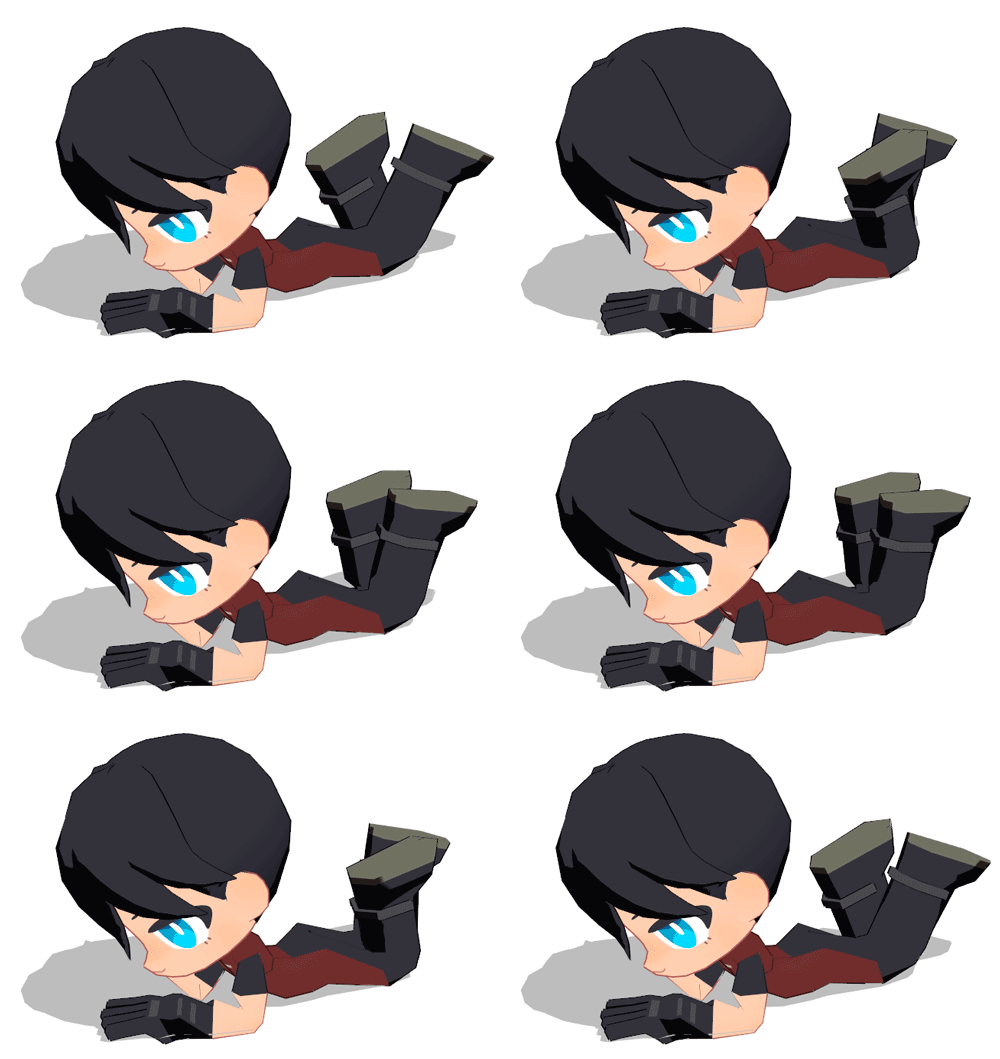
説明書に目を通して頂きありがとうございます。
頭身低めのミニキャラモデルなので若干使いづらいと思いますが、どうか可愛がってやってください。
コンテンツツリー登録やクレジット表記は任意です。(してくれたら喜びます)
全てのモーフの紹介ではありませんが、このモデルの特徴的なモーフについて使い方をご紹介します。
# 「まばたき」と「アイマスクOFF」
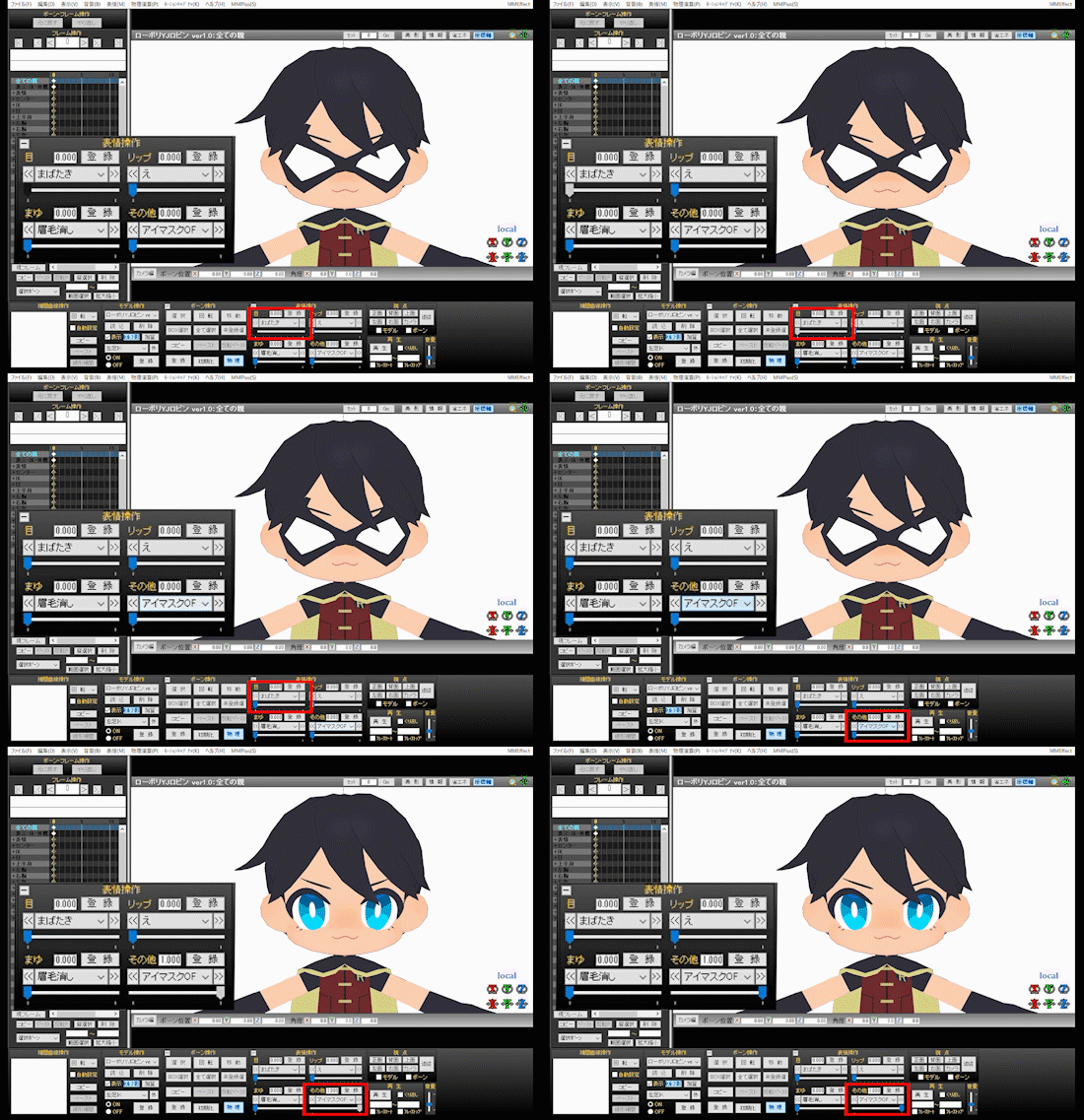
・最初からつけているアイマスクは「まばたき」モーフに連動します
・「アイマスクOFF」でマスクをOFFにすることができます
# 固定マスクON
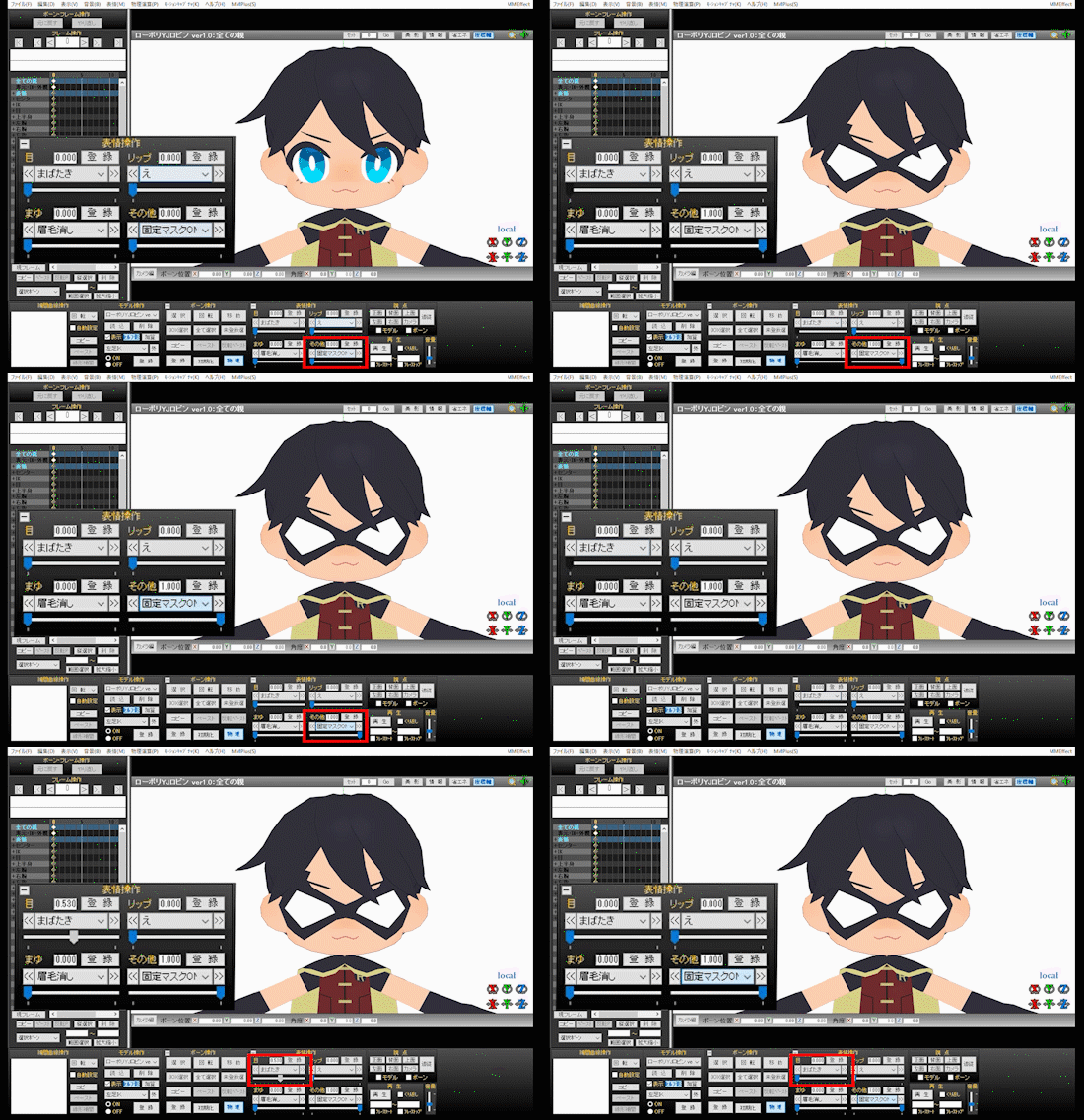
・「アイマスクOFF」で最初からつけているマスクを非表示にした上で使います
・見た目は同じですが、固定マスクは「まばたき」と連動しません
# マスク白透過
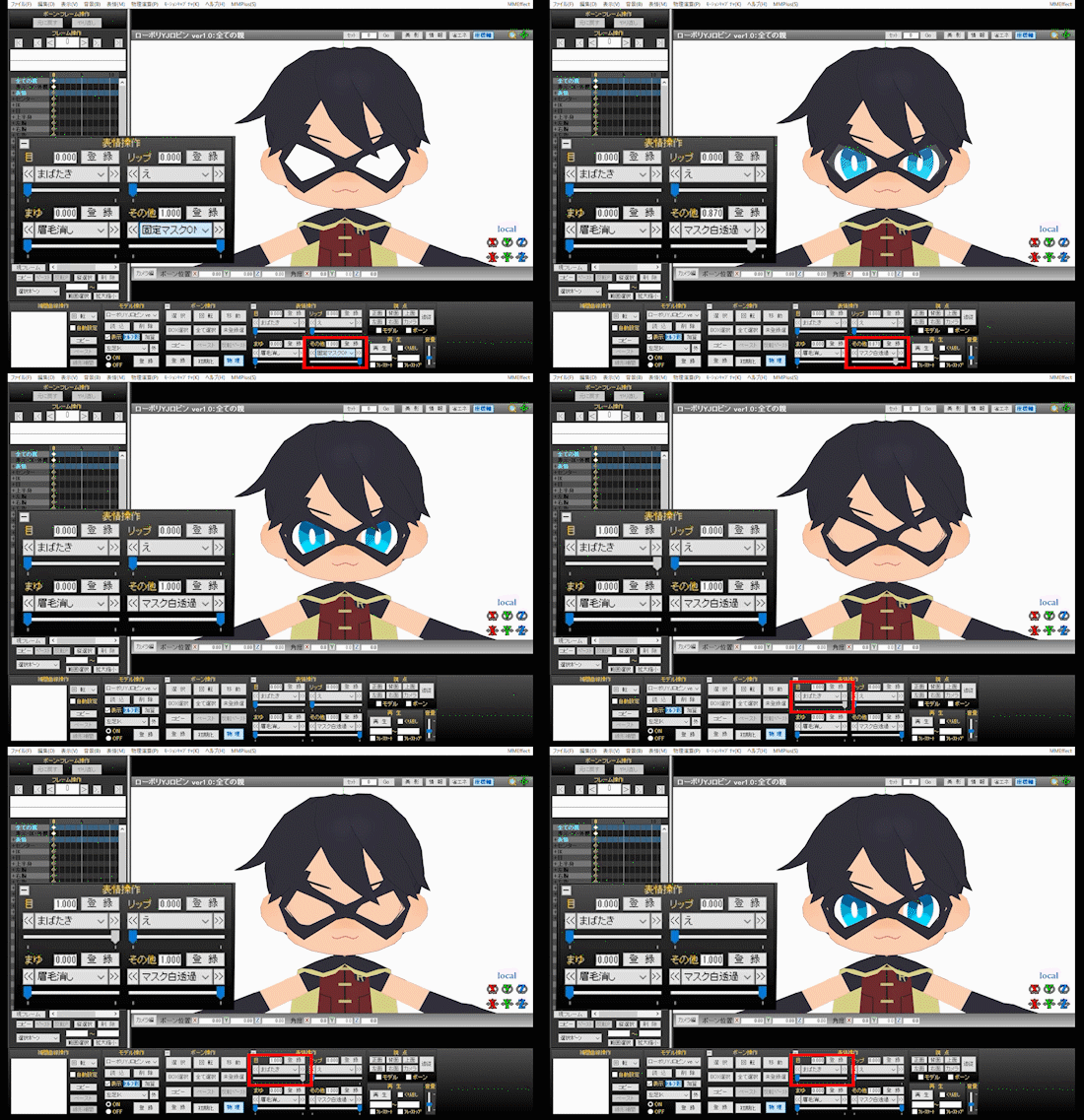
・マスクの白い部分を透過します
・半透明にしておくことも可能です
・マスクをしながら素顔のまばたきを見せたい時などに「固定マスクON」とあわせて使います
# ケープOFF
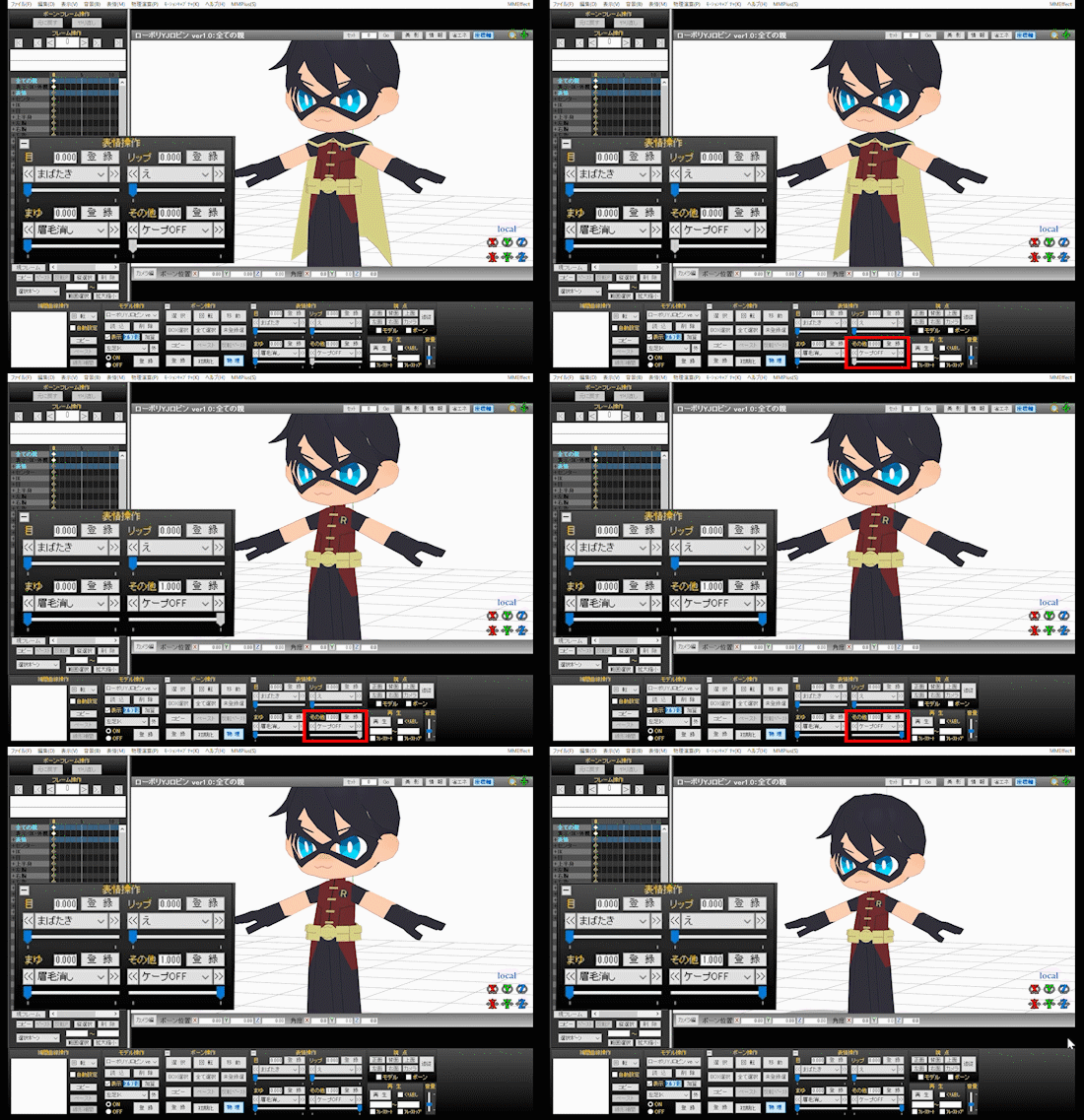
・ケープを非表示にします
# グローブOFF
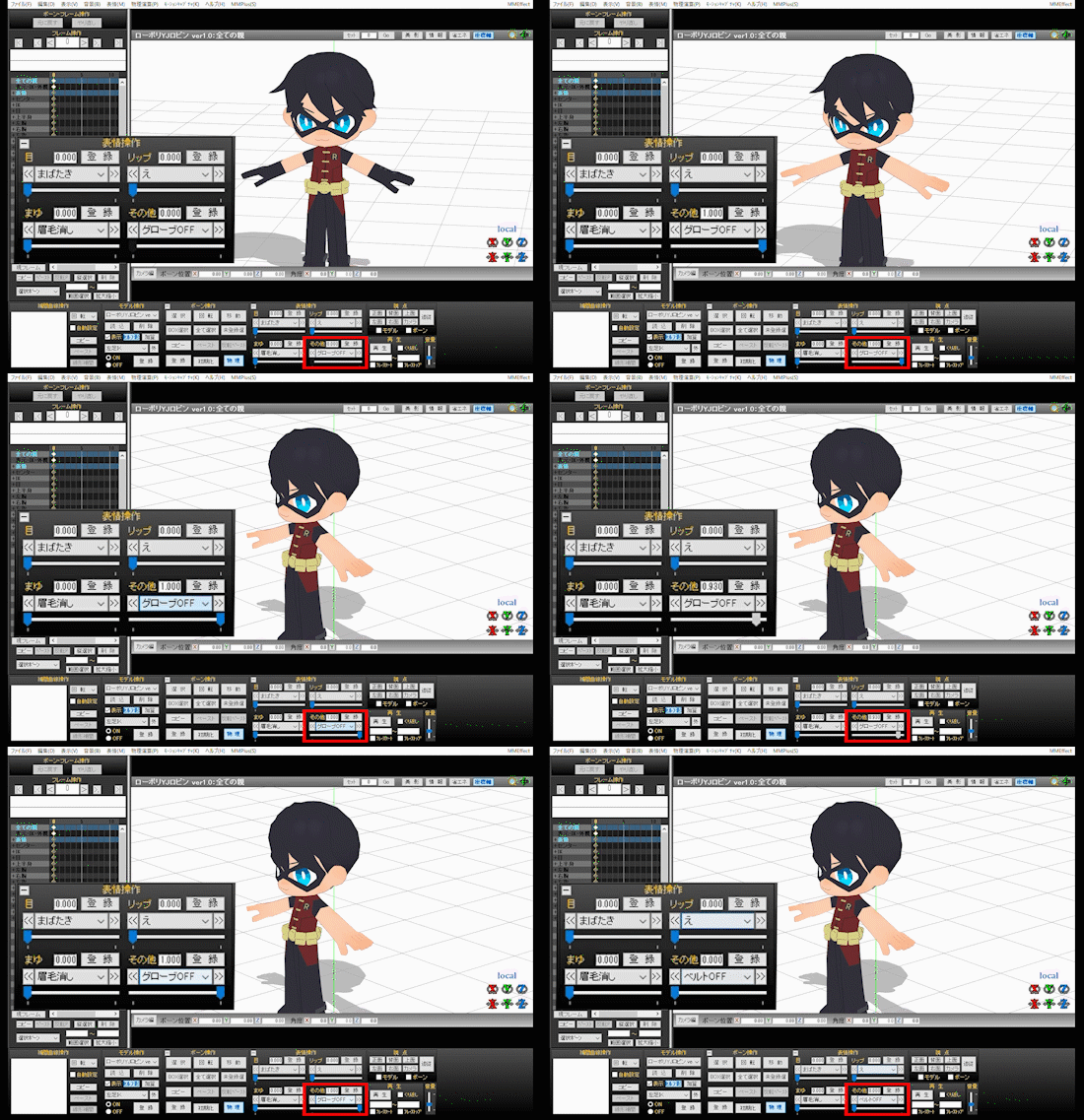
・グローブを非表示にして素手の状態にします
# ベルトOFF
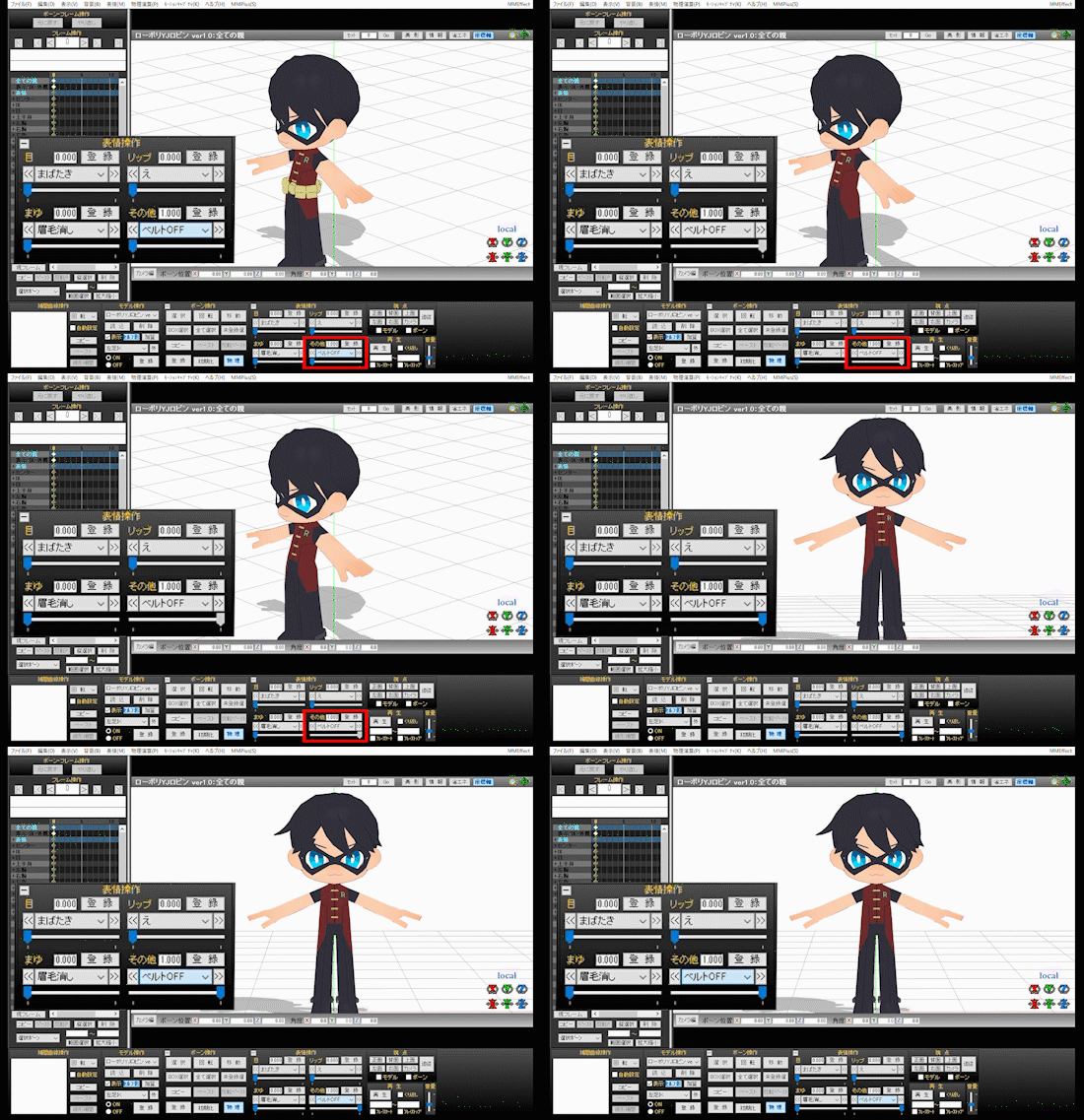
・ユーティリティーベルトを非表示にします
# 猫耳しっぽON
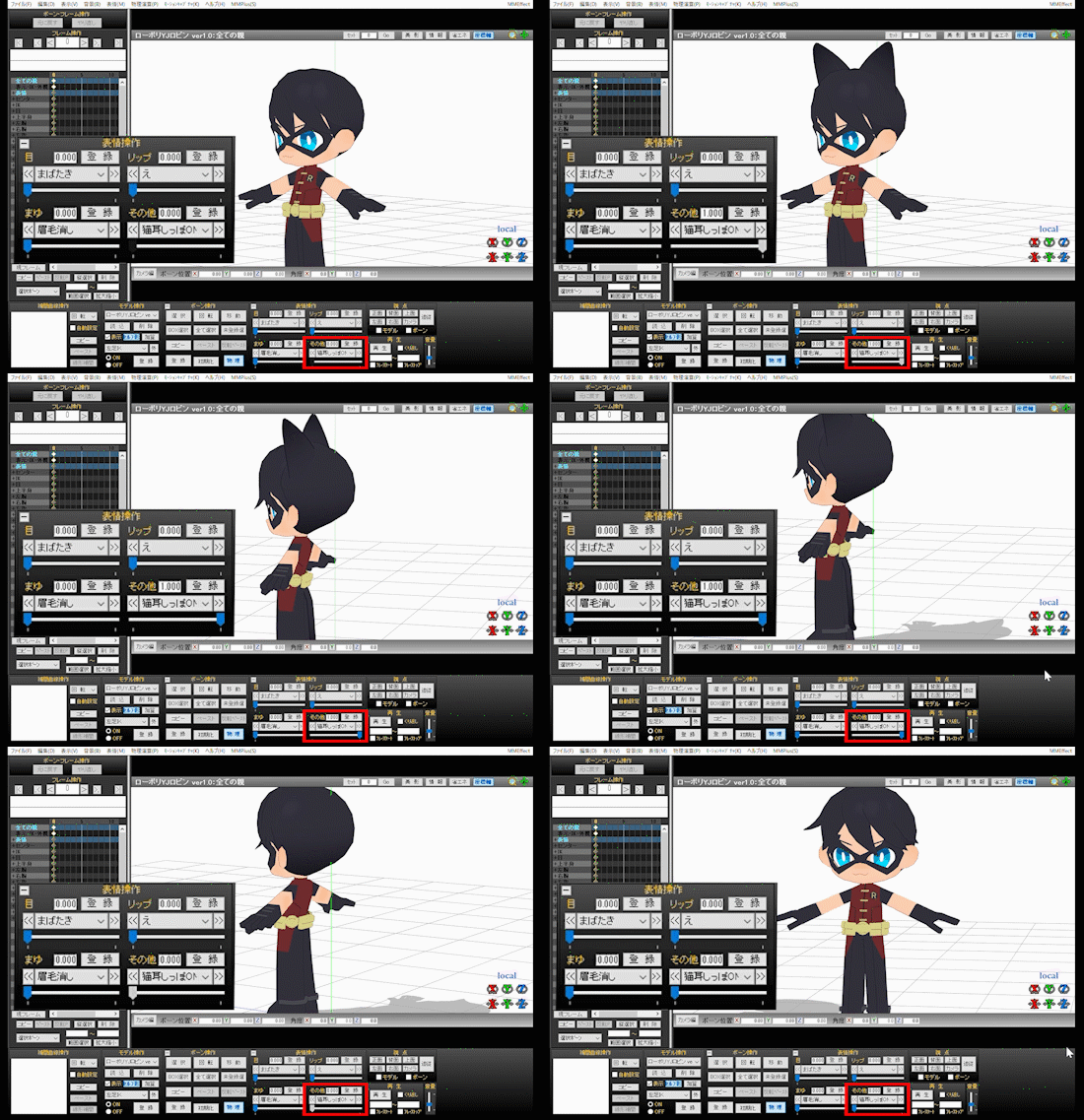
・猫耳としっぽを表示して猫ちゃんにしちゃいます
# 眉毛消し
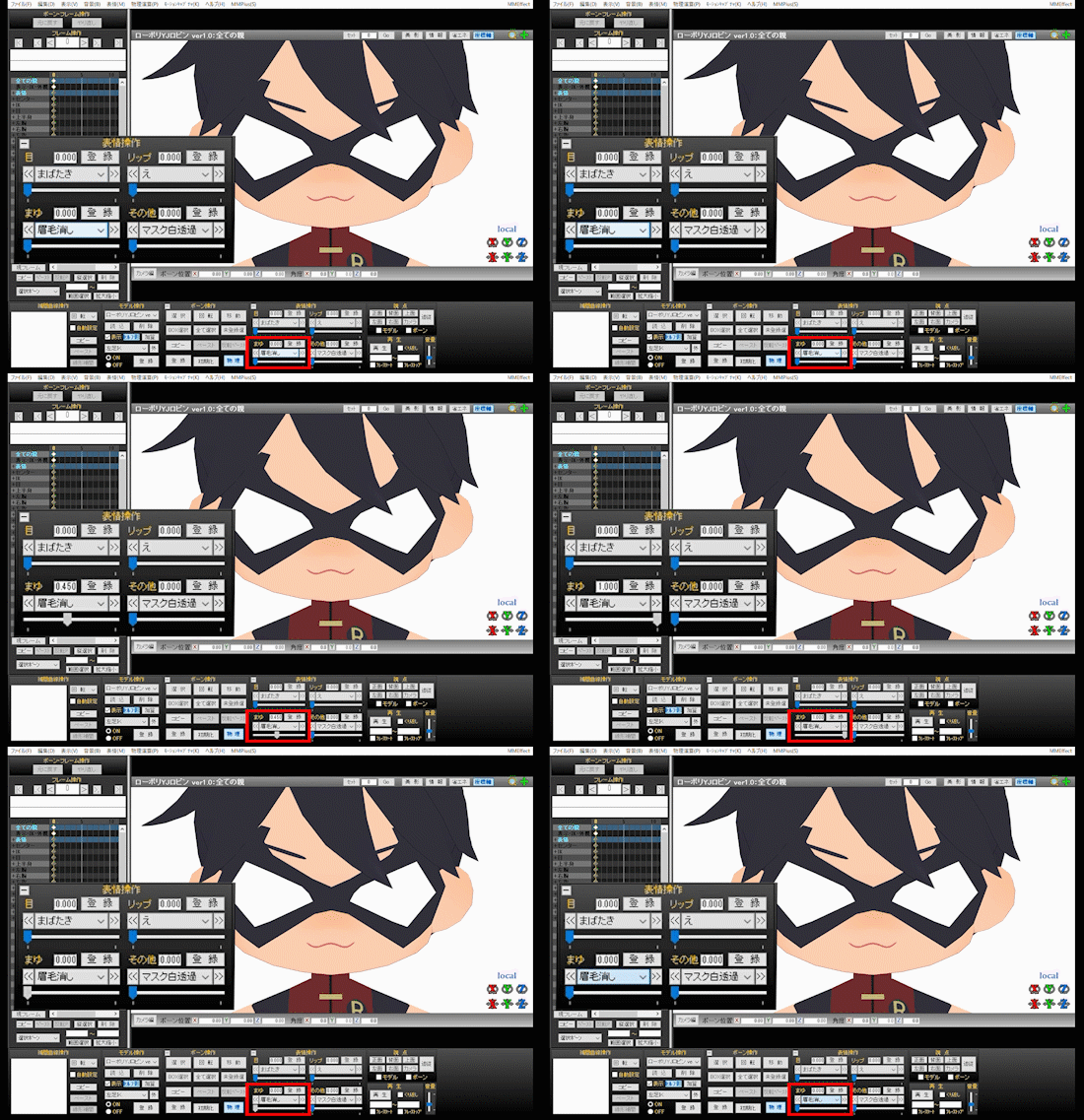
・眉毛を非表示にします
・マスクをしている時は眉毛が描かれない…という表現がよくあるので、それを踏襲
# その他顔関連モーフ
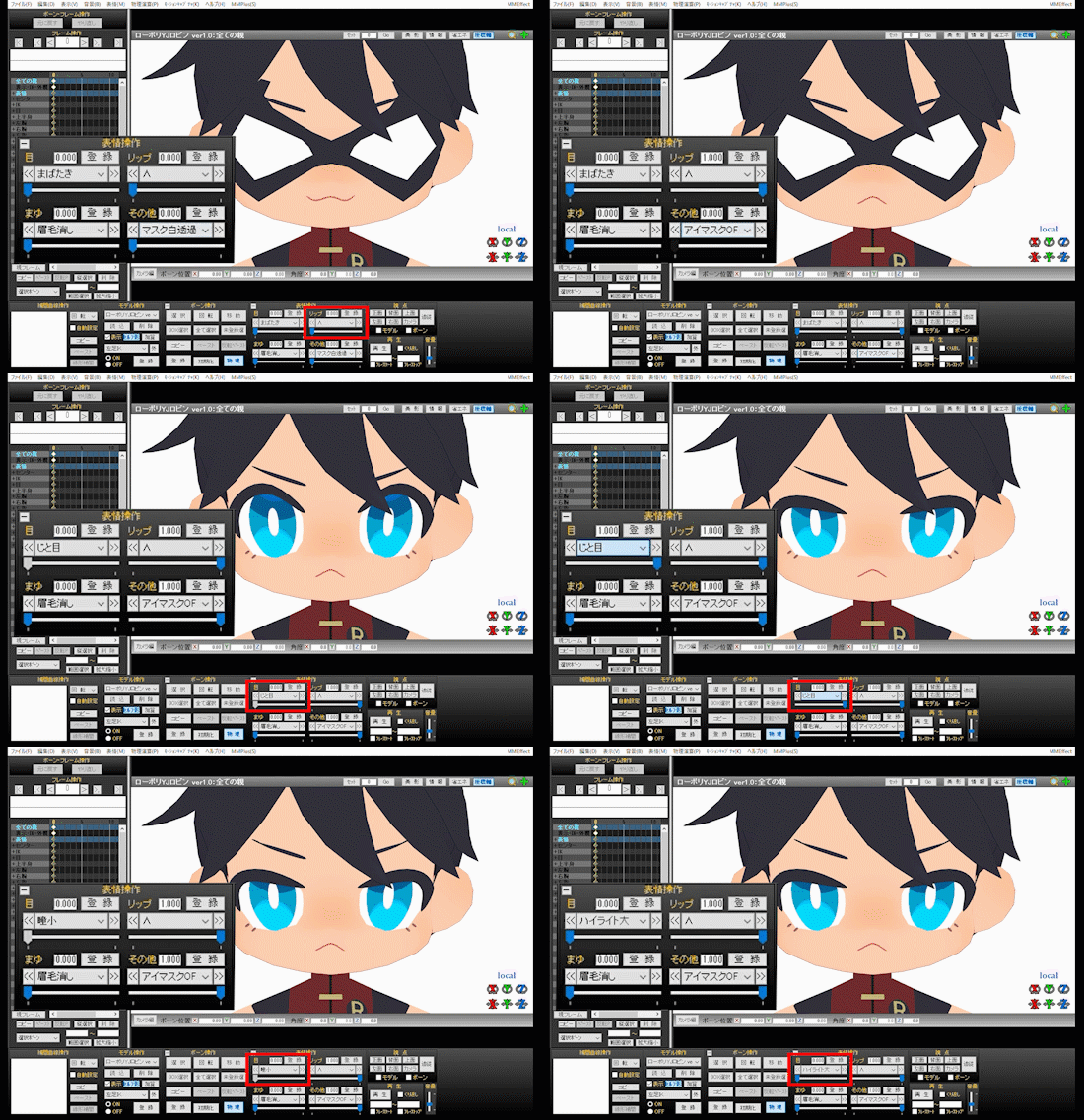
バリエーション少ないですが、顔に少し変化を付けられます
・「瞳小」…瞳を小さくして三白眼ぎみにします
・「ハイライト大」…瞳のハイライトを少し大きくします
・「じと目」…退屈そうな目にします
・「笑い」…まばたきとは違って口角を上げて目をつむります
※この辺りのモーフはマスクをOFFにするか、マスク白を透過した状態でないと確認できません
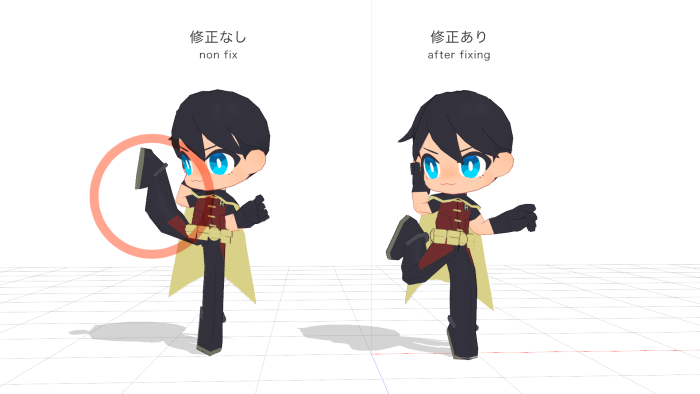
通常サイズのモデル用のモーションを読み込むと、本モデルの頭身が低いために腕が顔にめり込んだり、動きが破綻する場合があります。
そういった際のおおよその修正方法をご紹介します。
方法1:外部ツールを使う
・VMDサイジング
VMD(MMDモーションデータ)を、指定されたモデルに適切な頭身・体型で再生成するツール。
モーションとの相性が良ければ、こちらのツールで一発解決する可能性があります。
方法2:手動で直す
MMDの「ボーンフレーム位置角度修正」機能を使います。
1)全ボーンのキーフレームを選択した上で「編集」>「ボーンフレーム位置角度修正」から、「ボーン位置」のXYZ全てを0.6くらいにする
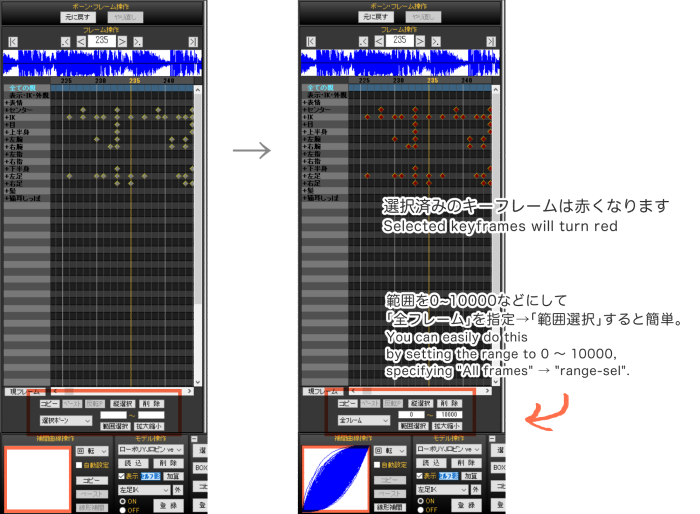
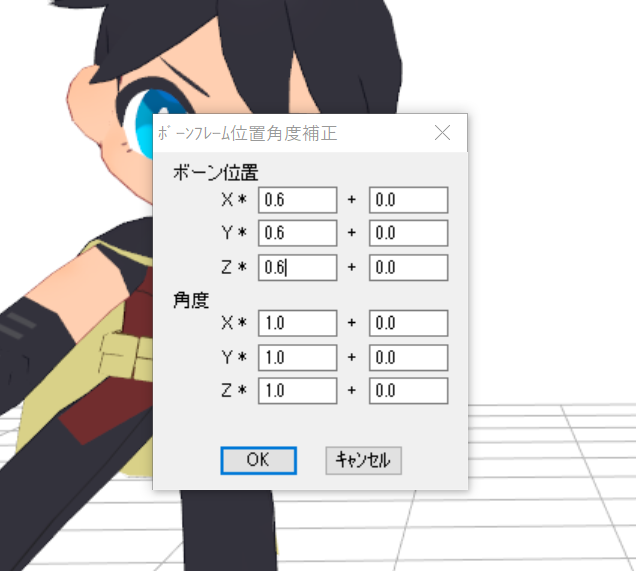
上記を試すと、モーションの動きが小さくなり破綻が直る可能性があります
2)1を試した上でまだ腕周りが破綻しまくる場合、以下を追加で実施(数値はモーションによって具合見つつで)
・左右ひじ
に対して「ボーンフレーム位置角度修正」の「角度」のYを0.8がけ
・左右手首
に対して「ボーンフレーム位置角度修正」の「角度」のZを0.8がけ
Thank you for reading the instructions.
It's a SD character model, so I think it's a little bit difficult to use, but I hope you all love it
:)
Registration in the content tree and credit notation is optional. (I'm glad if you do it)
Not about all morphs, but here I will show you how to use the characteristic morphs of this
model.
# "blink" & "mask(blink)_OFF"
・ The eye mask worn from the beginning moves in conjunction with the "blink" morph.
・ You can turn off the mask with "mask(blink)_OFF".
# fixed mask_ON
・ Use after hiding the mask that you have been wearing from the beginning with
"mask(blink)_OFF".
・ Although it looks the same, this fixed mask does not work with "blink" morph.
# mask white_OFF
・ Transparent the white part of the mask.
・ It's also possible to make it translucent.
・ Use with "mask_ON" when you want to show his eyes blinking while wearing a mask.
# cape_OFF
・ Hide the cape.
# gloves_OFF
・ Hide the gloves and show bare hands.
# utility belt_OFF
・ Hide the utility belt.
# cat ear&tail_ON
・ Display cat ears and tail to make him a cat.
# eyebrows _OFF
・ Hide eyebrows
# Other face related morphs
There are few variations, but you can add a little change to your face.
・ "small eyes" ... Make the eyes smaller and make them look like Sanpaku.
・ "large highlight" ... Makes the highlight of the eyes a little bigger
・ "doubt" ... show boring eyes
・ "smile" ... raise the corner of his mouth and close eyes.
※ Morphs around here can only be see by turning off the mask or making the mask white
transparent.
When loading a motion for a normal size model, the arm may be sunk into the face
or the movement may be disrupted due to the short height and large head of this
model.
I will introduce the approximate correction method in such a case.
Way 1:Use external tools
・VMD Sizing
A tool that regenerates VMD (MMD motion data) with an appropriate head and body shape for a
specified model.
If it goes well with motion, this tool may solve it in one shot.
Way 2:Manually fix
Use the "multiply of bone frame position-angle" function of MMD.
1)After selecting the keyframes of all bones, select "edit(D)"> "multiply
of bone frame position-angle" and set all XYZ of "bone place" to about
0.6.
If you try the above, the motion will be smaller and the failure may be fixed.
2)If you try 1) and the arm circumference still collapses, do the following additionally (while
checking the numerical value by motion)
・LR both elbows
set Y of "angle" of "multiply of bone frame position-angle" to 0.8
・LR both wrist
set Z of "angle" of "multiply of bone frame position-angle" to 0.8